
PyTolosa Presentation
PyTolosa
Section titled “PyTolosa”Presentation
Section titled “Presentation”Some results generated by Tolosa-sw need to be post-treated. One could generate binary files, csv files with Tolosa, and post-treat them with PyTolosa. The different outputs generated by Tolosa are listed in Tolosa-lib Outputs.
PyTolosa enables the user to post-treat:
- Two-dimensional data from binary files
- One-dimensional data from CSV files
In PyTolosa, two running modes are available:
- Interactive mode - User-guided post-processing
- Batch mode - Automated processing with command-line arguments
Features
Section titled “Features”1D Outputs
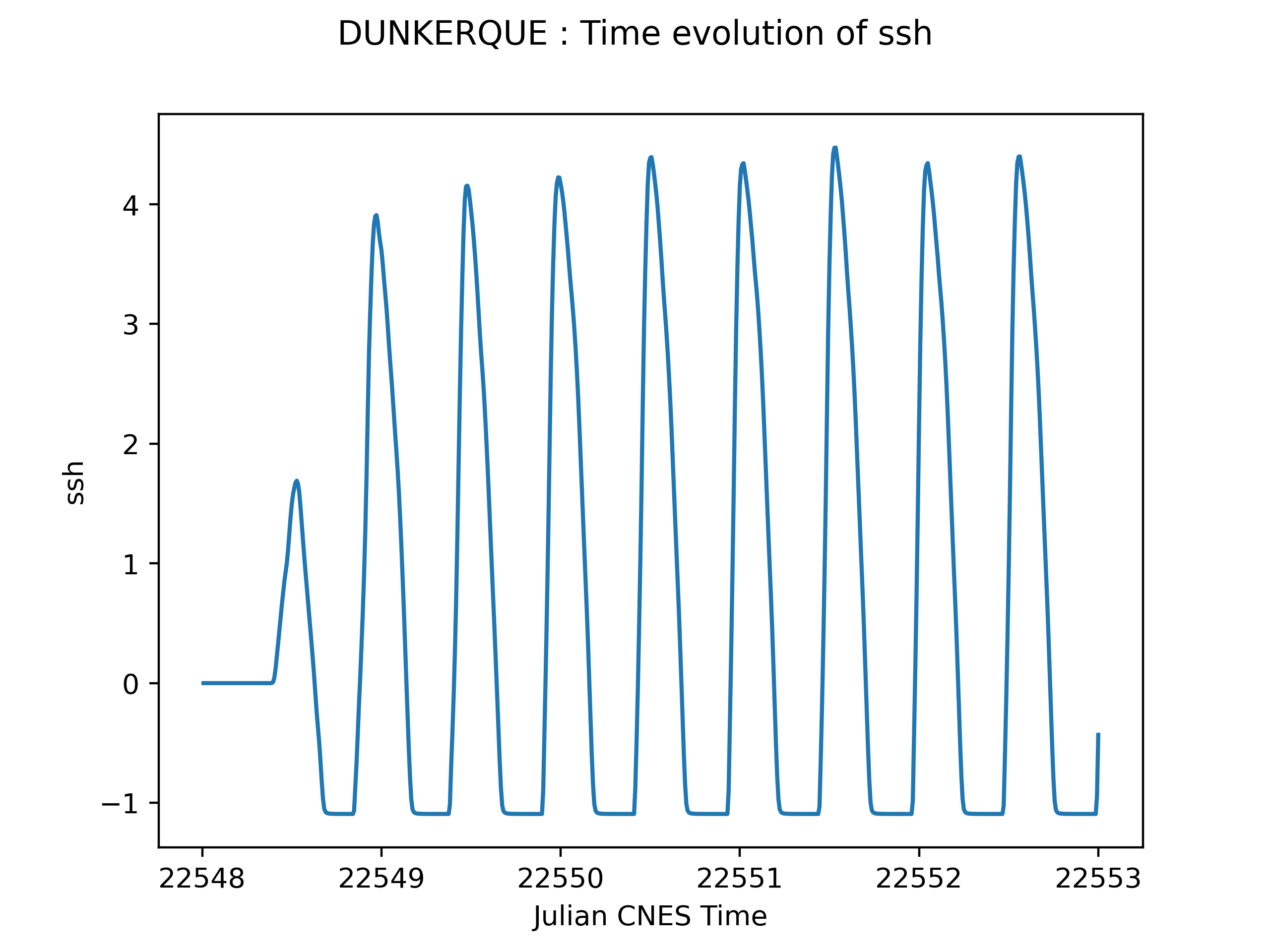
Section titled “1D Outputs”The one dimensional data can be post-treated if it is stored in a .csv file. PyTolosa reads those files and creates plots catching the time evolution of the fields extracted.
Typical 1D outputs:
- Time series at gauge points
- Cross-section profiles
- Discharge evolution
- Water level variations
2D Outputs
Section titled “2D Outputs”The two dimensional data can be post-treated if it is stored in .bin files. These files each represent the state of the domain at each output time step.
One binary file contains:
- A key to define the content of the binary file
- The date (if specified)
- The minimum and maximum values of the fields
- The fields values at each cell center
Binary File Key Meanings:
key = 0: No date and no min/max valueskey = 1: No date, but min/max values writtenkey = 2: Date written, no min/max valueskey = 3: Date and min/max values written
Fields that can be extracted:
- Sea surface height (SSH)
- Total water depth (h)
- Bathymetry
- Horizontal velocity component (u)
- Vertical velocity component (v)
PyTolosa post-treats those files by creating an animation of the fields distribution on the domain. PyTolosa needs to read another binary file containing the mesh connectivity. By reading this mesh file and the other binary files (one for each time step), PyTolosa creates an animation in the directory containing those files.
Additional Features
Section titled “Additional Features”- Change display window - Zoom on a subdomain by specifying the window (in longitude/latitude or stereo x/y coordinates)
- Rescale fields - Adjust colorbar and define new field scales
- Animation settings - Customize extension, frame rate, image size, colormap, and resolution
- Browsing - Explore working directory to search and post-treat 1D and/or 2D cases automatically
System Requirements
Section titled “System Requirements”See the System Requirements page for detailed installation instructions.
Main dependencies:
- Python 3.x
- Matplotlib
- NumPy
- SciPy
- mpi4py (for parallel post-processing)
- FFMPEG (for animations)
Quick Start
Section titled “Quick Start”Installation
Section titled “Installation”# Clone the repositorygit clone https://github.com/TolosaProject/PyTolosa.gitcd PyTolosa
# Add to PYTHONPATHexport PYTHONPATH=$PYTHONPATH:$(pwd)Interactive Mode
Section titled “Interactive Mode”# Serial executionpython3 -m pytolosa -i
# Parallel execution (4 processes)mpirun -np 4 python3 -m pytolosa -iBatch Mode
Section titled “Batch Mode”# Process 2D case with water depth fieldpython3 -m pytolosa -wdir ./bin/res -c2D -h
# Process 1D casepython3 -m pytolosa -wdir ./bin/res -c1D -sshNext Steps
Section titled “Next Steps”- System Requirements - Installation prerequisites
- Downloading - Get PyTolosa
- Features - Detailed features overview
- Running PyTolosa - Complete usage guide